Brand kit templates are useful for one thing and useless for another. They are an excellent list of the decisions a brand has to make, and they cannot make a single one of those decisions for you. Treat the template as a checklist of open questions, answer each one with a value you can hand to a stranger, and the file becomes a kit. Fill the blanks with whatever the sample text suggested and you have a nicely typeset document that describes nobody.
Search for a brand kit and page one is mostly downloads. Editable boards, printable sheets, bundles of layouts. The download is fine. What goes wrong is the assumption underneath it: that identity is a document you obtain rather than a set of decisions you make and then record. A template hands you the second half of that sentence and skips the first.
What Brand Kit Templates Actually Hand You
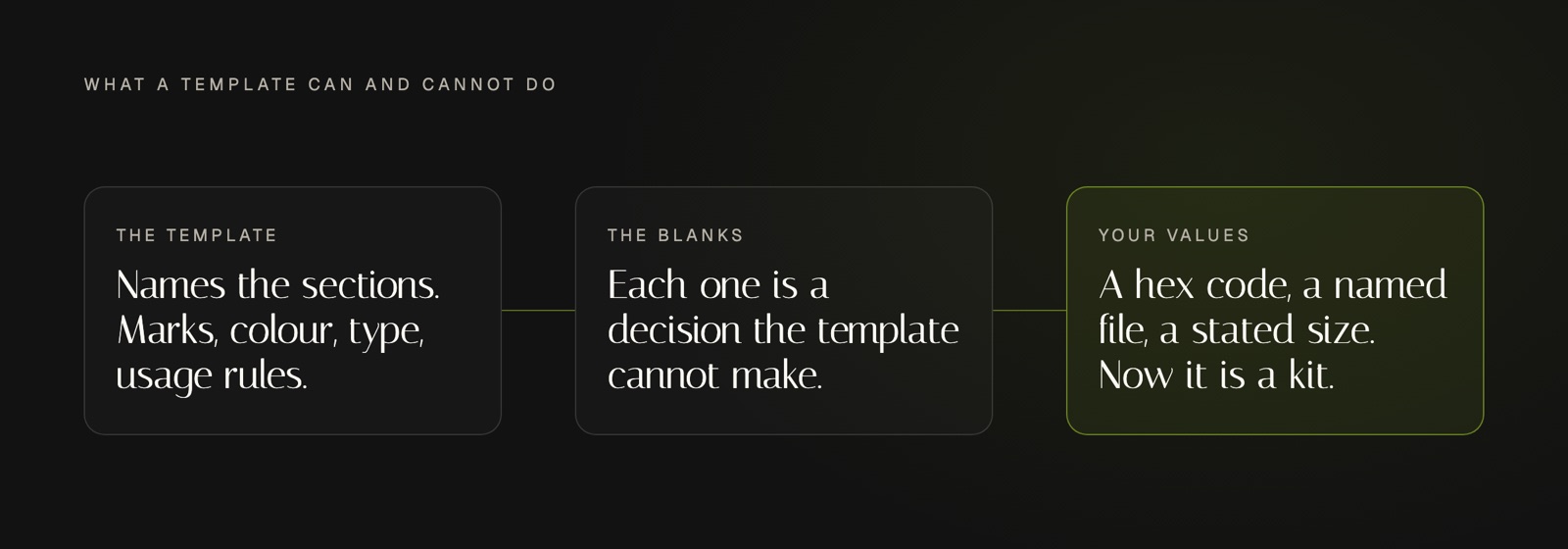
A brand kit template is a pre-structured document with named, empty sections for the parts of a visual identity: marks, colour, type, imagery and usage rules. It supplies the structure and the labels. It supplies no values.
That is a real contribution. Most people building an identity for the first time do not know what belongs in one, and brand kit templates answer that completely: a logo needs variants, colour needs more than one entry, type needs roles rather than a single font name. Our longer piece argues a kit should read as a specification rather than a mood board, and a template is that specification with every field left blank.
The failure is in what the sample content does to you. A template arrives populated, because an empty document does not sell. The palette is filled with the designer's colours, the headline sits in the designer's typeface, the mockup looks resolved. Swap the logo, keep the rest, and the document still looks finished. That is the problem. Finished-looking and decided are not the same state, and only one of them survives a real week of publishing.
The Blanks Are the Whole Value
Read a template as a list of questions and it becomes genuinely useful. Every section is a decision somebody has to close. Which mark goes on a dark background. Which colour is the default page background and which one is text. What size body copy runs at. Whether the icon may appear without the wordmark.
None of those have a general answer. They have your answer, and the template cannot supply it because it does not know what you sell, who you sell it to, or what you want to look like beside the businesses you are compared against. What it does is stop you forgetting the question exists. Forgetting is how kits end up with four colours and no rule about which two may sit together.
So the working method is: open the template, delete every value in it, and treat what remains as a to-do list. That is a slightly perverse way to use a paid download, and it is the only way that produces something specific to you.
 ## Two Values a Template Cannot Choose
Colour is the clearest case. A template shows a palette as swatches, which looks like an answer. The standard is explicit that hex notation specifies an sRGB colour, so a hex code answers the screen question and says nothing about print, where the same brand needs a different set of numbers. A swatch tells you neither value. It tells you a colour was chosen by somebody else.
Contrast is the second case, and it is the one templates almost never mention. Two colours can both be correct and still be unusable together. The W3C sets a floor here: a contrast ratio of at least 3 to 1 against adjacent colours for interface components and for the parts of a graphic needed to understand it. Your icon on your accent colour either clears that or does not, and the answer is a property of your two specific values, not of the template that displayed them prettily on white.
Both are decisions with a testable answer. A template cannot run the test, because at the moment you download it there is nothing of yours to test.
How to Use Brand Kit Templates as a Checklist
Work the sections in build order rather than the order the document prints them, because several answers depend on earlier ones. Identity files first, then colour, then type, then the export and layout layer, the sequence our piece on building a brand kit in four passes sets out in full.
For each section, apply one test before you move on: could a stranger act on this without asking you a question. A hex value passes. Warm and approachable does not. A named file at a stated size passes. Use the logo tastefully does not. Brand kit templates are graded by the same test, and most of them fail it in their sample state, which is fine as long as you were never planning to keep the sample.
Then stop. A template offers sections you do not need yet: a pattern library, a photography grade, a merchandise page. Leaving those empty beats filling them with something plausible, because an invented rule gets applied by somebody later and then it is your brand. If what you are missing sits earlier, in voice and positioning and audience, that work is upstream of any document, and our Blueprint is where we capture it.
Frequently Asked Questions
Do design platforms include brand kit templates?
Most do, and they handle storage well. A design platform will hold your logo files, your hex values and your fonts, then apply them across its own layouts automatically, which removes a real chore. What it stores is whatever you decided. If four blues go in with no note about which is the background, four blues come out and every future post is a fresh judgment call. Brand kit templates and platform brand features solve filing. They do not solve deciding.
Why do professional designers avoid templates?
Mostly they do not avoid them, they avoid the sample content. A structure is a structure and there is no credit for redrawing one. What a designer will not do is inherit somebody else's colour, spacing and typeface and call the result an identity, because the point of the work is the part that distinguishes you, and a shared starting file distributes the opposite. The template is a container. The judgment is the job.
Is a free template good enough for a small business?
Usually, yes. Paid versions buy nicer typesetting and more sections, and neither is the constraint. The constraint is whether anyone sits down and closes the decisions, and a free document you complete beats a paid one you fill with sample text. Spend the money on what a document cannot supply: a mark you own, a typeface you are licensed to use, and the time to test your own colour pairs.
Conclusion
Judge the template by how well it lists the questions, and judge yourself by how specifically you answer them. A completed kit reads as a set of values a stranger can apply without calling you. An incomplete one reads as a handsome document that could belong to anybody in your category, which is the outcome the download was supposed to prevent.